WhatsApp Business API

Run WhatsApp Business professionally on the official WhatsApp Business API

Fasla Cloud connects your own official WhatsApp Business number through Meta's approved interface, so your whole team can answer customers from one shared inbox — with approved message templates, campaigns and live delivery reporting.

How the connection works

From connection to first reply, in clear steps

Each customer connects their own number and gives us explicit authorisation to act on their behalf — for their account's conversations only.

  1. 01

    Create your account

    Register your business in minutes through the platform app.

  2. 02

    Connect your number officially

    The connection is made through Meta's official Embedded Signup — no intermediary and no unapproved workaround.

  3. 03

    Grant explicit authorisation

    You agree that Fasla Cloud may act on your behalf in managing the conversations of your account, and no one else's.

  4. 04

    Start answering

    Your team replies to customers from the shared inbox, sends approved campaigns, and follows the reports.

Data use

What we do with platform data — and what we don't

We use platform data only to provide the service each customer asked for, and nothing else.

What we do

  • Display your WhatsApp conversations in a shared inbox so your team can answer your customers.
  • Send message campaigns to contacts who have opted in to receive your messages.
  • Store contacts and conversation history inside your own CRM records.
  • Show delivery and read status for your messages in your reports.

What we never do

  • We do not sell your data or your customers' data to any third party.
  • We do not use Meta platform data for advertising.
  • We do not let any customer view another customer's data.
  • We do not use unofficial or unapproved methods to reach WhatsApp.
Policy compliance

Committed to WhatsApp Business policies

We send messages only through officially approved WhatsApp templates, we respect the 24-hour customer service window for non-template messages, and we message only contacts who have given prior consent — with opt-out available at any time.

Approved message templates 24-hour service window Prior consent (opt-in) Easy opt-out WhatsApp Business Messaging Policy WhatsApp Commerce Policy
Inside the platform

Real screenshots from Fasla Cloud

The inbox, campaigns and reports — as each customer's team sees them.
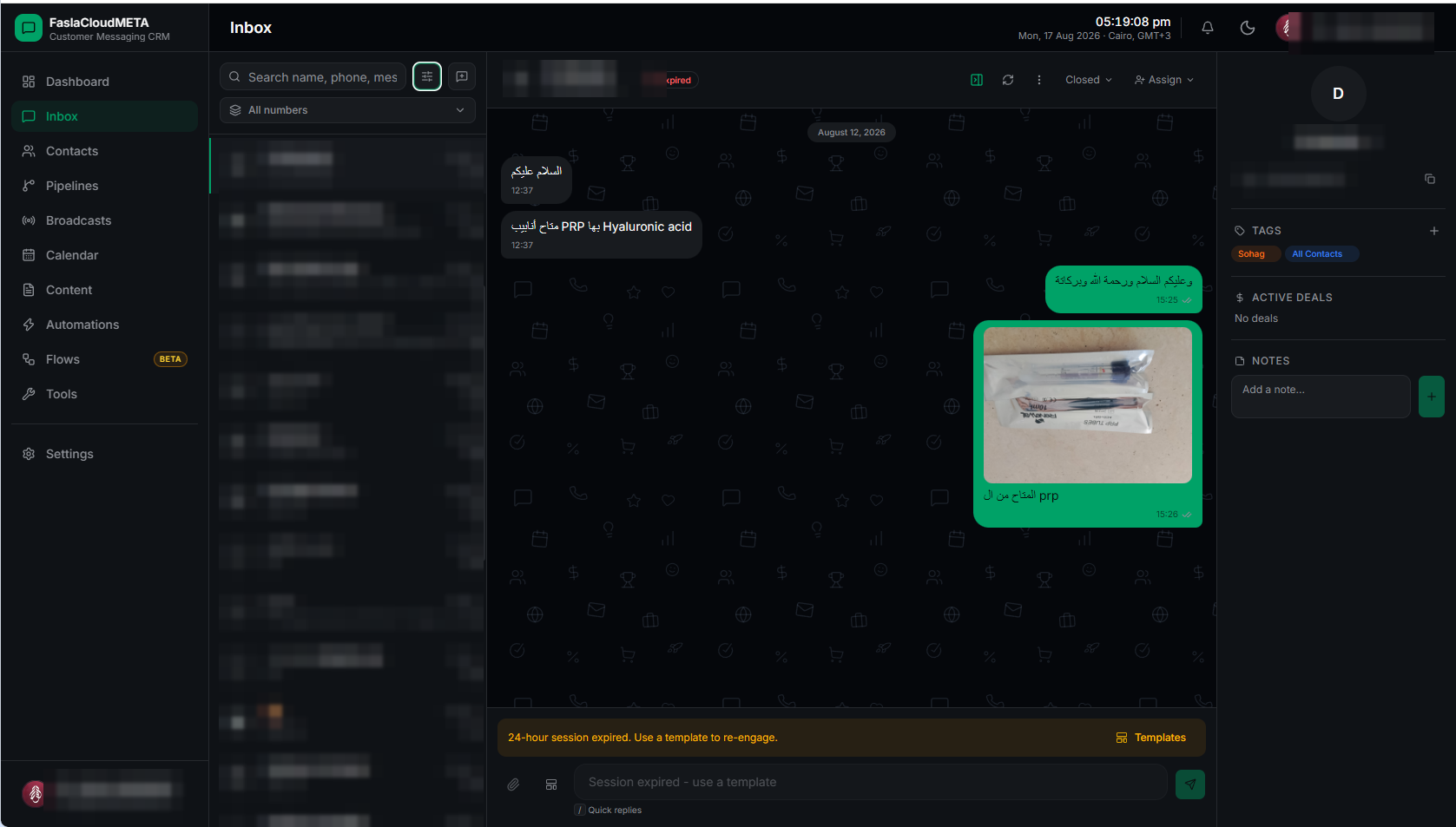
The shared inbox in Fasla Cloud — a list of WhatsApp conversations in one team inbox (customer data blurred for privacy)
Shared inbox WhatsApp conversations in one team inbox
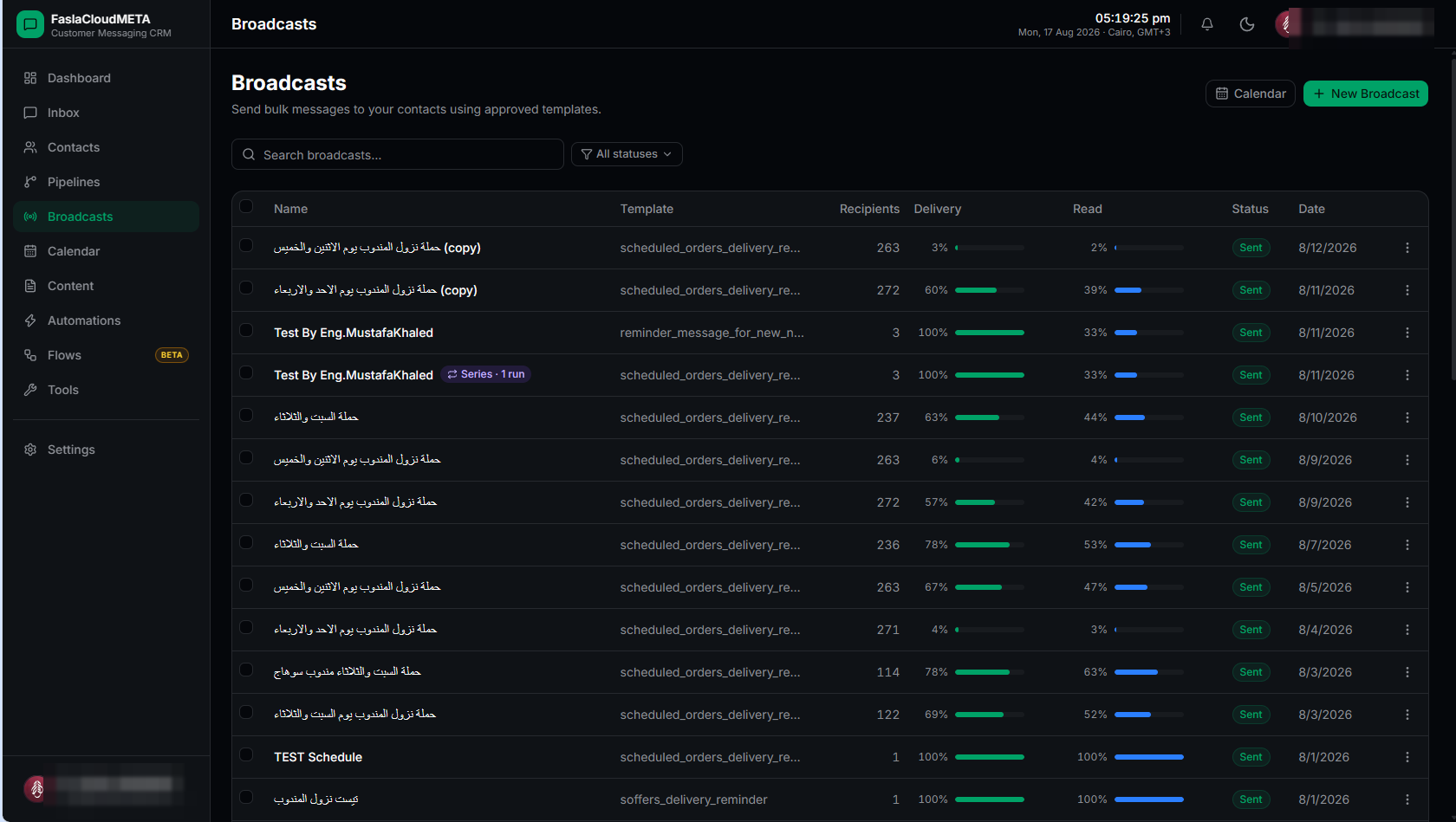
The campaigns screen in Fasla Cloud — sending campaigns through approved WhatsApp templates with delivery and read tracking
Campaigns and approved templates Campaigns sent through approved WhatsApp templates
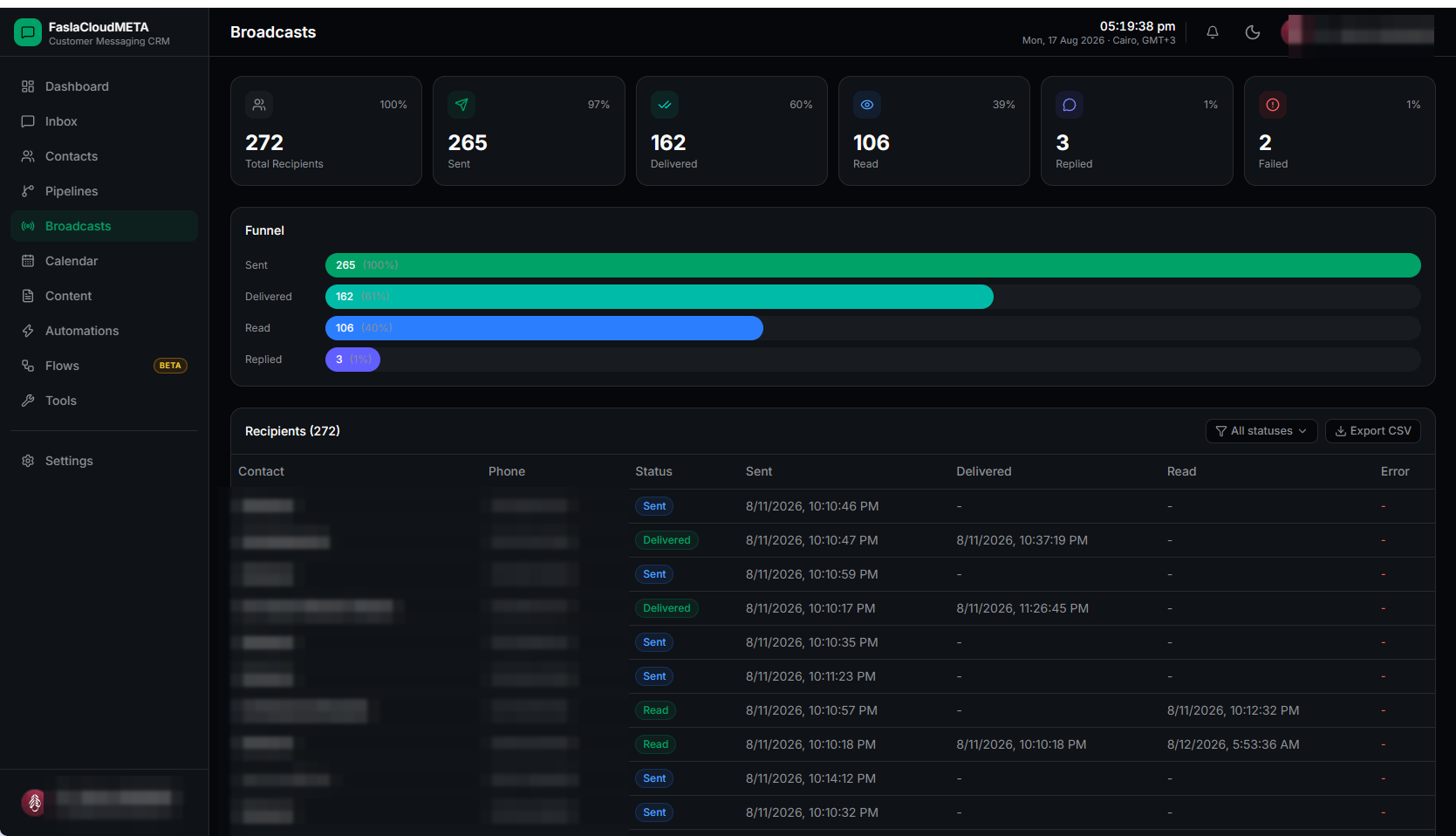
The reports screen in Fasla Cloud — delivery and read status per recipient (customer data blurred for privacy)
Delivery and read reports Delivery and read status for every message
Platform features

Everything you need to run WhatsApp Business

Shared inbox

Every WhatsApp conversation in one place, easy for your team to answer.

Campaigns and approved templates

Campaigns to contacts who opted in, through approved WhatsApp templates.

Automation and smart replies

Greeting messages, saved replies and automatic conversation routing.

Team and permissions

Distribute conversations and set each member's role and permissions.

Customer CRM records

Contacts and conversation history stored inside each customer's own records.

Delivery and read reports

Delivery and read status for every message, plus response times, live.

Ready to run WhatsApp Business professionally?

Talk to us now and start managing your customers' conversations and campaigns from one place.

Talk to us now

Privacy Policy · Terms of Service